Ergonomics & Workspaces: Biomechanics for 40-Hour Focus
Working from kitchen tables, plush sofas, or improvised laptop setups causes cumulative micro-trauma across the cervical spine, shoulders, and wrists. Here is the mechanical baseline for sustained cognitive endurance.
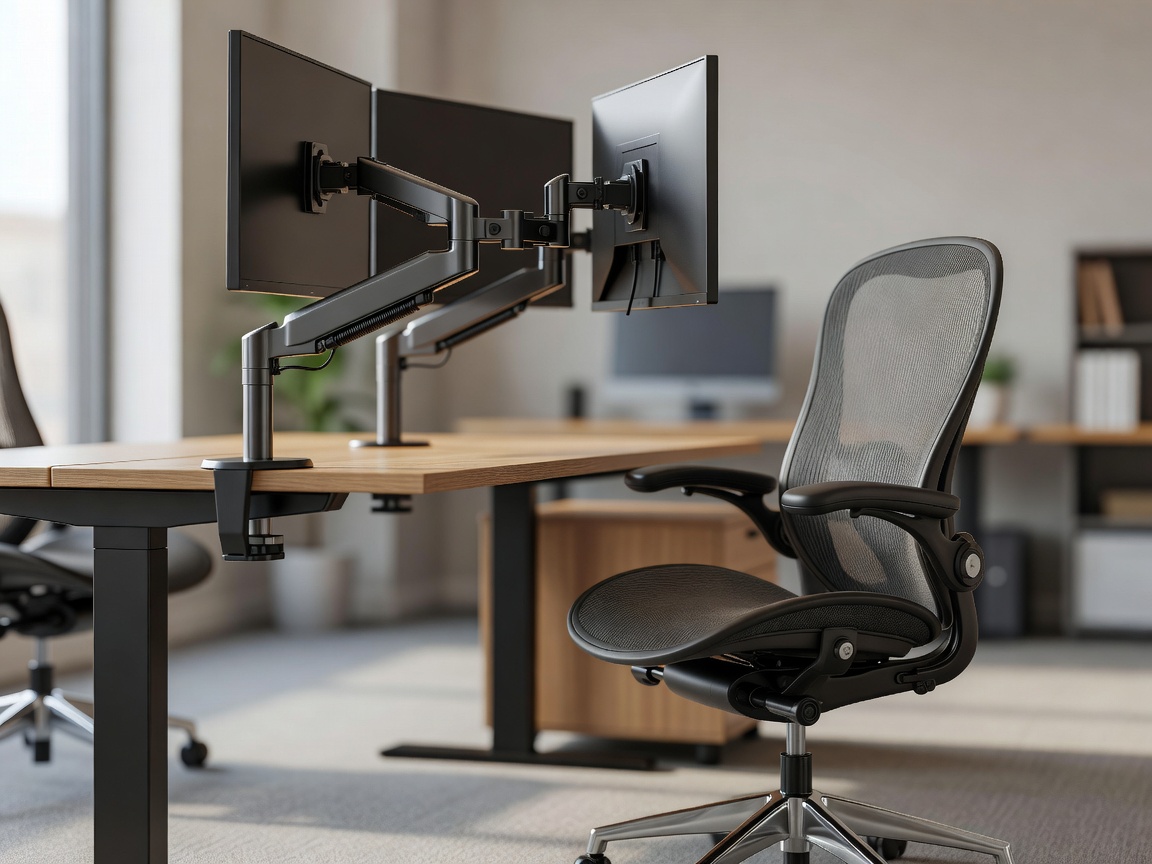
The Structural Cost of Laptop-Only Postures
The modern laptop computer is an engineering marvel of portability, but an ergonomic catastrophe. When the display is attached directly to the keyboard, operators are forced into a physiological compromise: either position the keyboard at elbow height and hunch the neck downward to see the screen, or raise the laptop to eye level and strain the forearms upwards to type.
For every inch the human head tilts forward from neutral alignment, the gravitational load experienced by the cervical spine multiplies. At a 45-degree forward neck angle, common when peering down at a 13-inch display on a coffee table, the neck muscles support roughly 49 pounds (22 kg) of continuous static force. Sustained across multiple workdays, this leads to occipital neuralgia, carpal tunnel compression, and chronic thoracic stiffness.
Core Engineering Principles of the Neutral Workstation
To eliminate chronic musculoskeletal fatigue, your workstation must support what occupational therapists classify as the "neutral body posture". In this posture, joints align naturally, minimizing muscle contraction and joint capsule tension while resting.
1. Lumbar Lordosis and Pelvic Tilt
The human spine has natural curves: cervical, thoracic, and lumbar. When sitting in non-ergonomic chairs without active lower back support, the pelvis rotates backward (posterior pelvic tilt), causing the lumbar curve to flatten out. This transfers entire torso weight directly into the intervertebral discs (L4–L5 and L5–S1). A task chair must feature height- and depth-adjustable lumbar resistance that actively presses against the small of the back, encouraging anterior pelvic tilt and maintaining the natural inward spine curvature.
2. The Focal Plane and Ocular Angle
The top border of your primary display must sit level with your pupils when sitting or standing upright. Eyes naturally rest at a slight downward gaze of approximately 15 degrees. When looking straight ahead, your vision should intercept the top third of your monitor. The screen should be positioned roughly arm’s length away (20 to 28 inches / 50 to 70 cm), preventing subconscious neck forward creep.
To prevent ciliary muscle spasm from fixed focal distance staring, follow this clinical standard: every 20 minutes, shift your focus to an object located at least 20 feet away for 20 seconds. This releases accommodation strain in the ocular lens apparatus.
Sit-Stand Desks: The Real Biomechanical Ratios
The transition to motorized sit-stand desks has often been promoted under extreme assumptions, with workers attempting to stand for eight consecutive hours. Excessive standing introduces venous pooling in the lower extremities, plantar fasciitis, and varicose vein pressure.
Optimal posture variation requires dynamic cycles. The accepted ergonomic standard is a 3:1 or 2:1 ratio: sit for 40 to 45 minutes, then stand for 15 to 20 minutes. Alternately, cycle 30 minutes of sitting followed by 30 minutes of standing. Crucially, when standing, knees should maintain a micro-bend, weight should balance across both feet, and an anti-fatigue polyurethane mat should be used to encourage continuous subtle calf contractions.
Equipment Comparison: Investment Tiers
| Component | Budget Improvisation | Commercial Mid-Tier | High-End Enterprise |
|---|---|---|---|
| Task Chair | Dining chair + memory foam lumbar pad | Mesh ergonomic chair with adjustable arms | Harmonic tilt synchro-mechanism chair |
| Display Mounting | Rigid acrylic laptop riser | Gas-spring single desk mount arm | Dual articulation arm with quick-release VESA |
| Keyboard / Mouse | Membrane external board + standard optical | Low-profile split keyboard + vertical mouse | Ortholinear custom split mechanical + trackball |
| Desk Surface | Fixed timber tabletop (74cm) | Single-motor electric frame (71–118cm) | Dual-motor inverted column 3-stage (62–128cm) |
Acoustics, Lumens, and Ambient Environment
Ergonomics extends beyond physical furniture into ambient environmental factors. Poor lighting conditions force unnatural squinting and leaning:
- Lighting: Target 300 to 500 lux across the desk working plane. Eliminate direct glare behind the monitor and avoid harsh backlighting from untreated windows. Balanced indirect lighting (4000K neutral white) reduces eye strain during evening coding or writing blocks.
- Input Peripherals: An external keyboard allows the elbows to settle at a 90-to-100-degree open angle, with wrists floating straight rather than tilted backward (wrist extension). A vertical mouse reorients the forearm into an anatomical handshake orientation, preventing repetitive pronation strain of the radial nerve.